The GE 4-Device Universal Remote (model 33709) is the best GE universal remote for DVD players, offering broad compatibility, simple programming, and dedicated DVD control buttons. This model simplifies managing your home entertainment system by consolidating up to four devices into one easy-to-use unit. Its ergonomic design ensures comfortable handling, making it an excellent choice for everyday use with various DVD player brands and models.
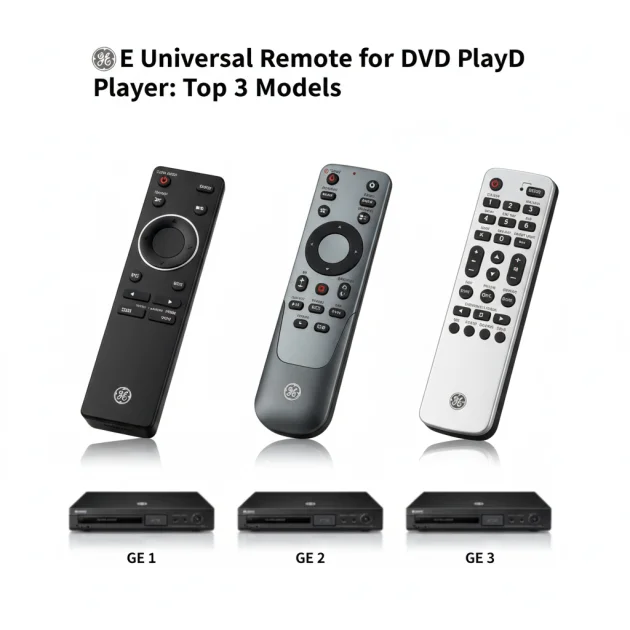
Quick Comparison of GE Universal Remotes for DVD Players
| Model | Key Feature | DVD Player Compatibility | Setup Difficulty |
|---|---|---|---|
| GE 4-Device Universal Remote (33709) | Dedicated DVD buttons | High | Easy |
| GE 8-Device Universal Remote (34458) | Extensive device control | Very High | Moderate |
| GE Backlit Universal Remote (33707) | Illuminated buttons | High | Easy |
What DVD Players Need from a Universal Remote
A universal remote for a DVD player requires specific functionalities to ensure a smooth user experience. Foremost, it must offer broad compatibility with various DVD player brands, including older and newer models. Essential buttons like Play, Pause, Stop, Fast Forward, Rewind, and Skip are crucial for basic operation. Volume and channel controls are also important if the remote is intended to manage a TV or sound system simultaneously. The remote should support multiple programming methods, such as direct code entry and auto code search, to accommodate different user preferences and technical comfort levels. An intuitive layout prevents confusion, especially when switching between DVD functions and other device controls. Backlighting can be a significant advantage for use in dimly lit home theater environments. Reliable signal transmission, often via infrared (IR), ensures commands are registered consistently by the DVD player. The remote’s build quality should withstand regular use, and battery life should be reasonable to avoid frequent replacements. Ultimately, a good universal remote for a DVD player simplifies control without sacrificing essential features.
Detailed Reviews of Top GE Universal Remotes
GE 4-Device Universal Remote (33709)
The GE 4-Device Universal Remote (model 33709) is an excellent choice for DVD player control, offering a balance of simplicity and functionality. This remote is designed to manage up to four different audio/video devices, making it ideal for a TV, DVD player, soundbar, and cable box. Its programming is straightforward, utilizing either direct code entry from an extensive code library or an auto code search feature that quickly identifies compatible devices. For DVD players, it includes all necessary buttons: Play, Pause, Stop, Fast Forward, Rewind, and Skip. The ergonomic design fits comfortably in hand, and the button layout is intuitive, reducing the learning curve. Users appreciate its broad compatibility with major DVD player brands, ensuring most setups are covered. The remote operates on two AAA batteries, providing reliable power for extended periods. Its robust construction ensures durability for daily use, making it a dependable option for consolidating your entertainment controls.
GE 8-Device Universal Remote (34458)
For users with more complex home entertainment systems, the GE 8-Device Universal Remote (model 34458) offers expanded control capabilities, including comprehensive DVD player management. This remote can control up to eight different devices, making it suitable for setups involving a TV, DVD player, Blu-ray player, sound system, streaming device, and more. While it offers extensive compatibility, programming might be slightly more involved than simpler models due to the increased number of device options. However, it still supports direct code entry and auto code search for convenience. All standard DVD player functions are readily available, ensuring full command over playback. The remote features a slightly larger form factor to accommodate more buttons, which are logically grouped for ease of use. Its ability to manage a wide array of devices makes it a powerful tool for reducing remote clutter, providing a centralized control point for your entire entertainment setup, including any DVD player.
GE Backlit Universal Remote (33707)
The GE Backlit Universal Remote (model 33707) is particularly beneficial for those who frequently watch movies or use their DVD player in low-light conditions. Its standout feature is the illuminated keypad, which makes it easy to locate and press the correct buttons in the dark. This remote controls up to four devices, making it a practical choice for a TV, DVD player, sound system, and another auxiliary device. Programming is user-friendly, with both direct code entry and auto code search options available to quickly connect with your DVD player. It provides all essential DVD playback controls, ensuring seamless operation. The buttons have a tactile feel, offering satisfying feedback with each press. Beyond the backlighting, the remote maintains GE’s standard for broad device compatibility and durable construction. This model is an excellent option for enhancing the viewing experience, especially during evening movie sessions, by providing clear visibility of controls.
Integrating a GE Universal Remote into Your Routine
Integrating a GE universal remote into your daily routine with a DVD player simplifies entertainment management significantly. Instead of juggling multiple remotes for your TV, DVD player, and sound system, a single GE remote consolidates control. This means less searching for the right remote and more time enjoying your movies. For families, it reduces confusion, as everyone learns one set of controls. The ease of programming, whether through direct code entry or auto code search, ensures a quick setup, allowing you to start using it almost immediately. Whether you’re watching a classic film, playing a concert DVD, or simply navigating menus, the dedicated DVD buttons on GE remotes provide intuitive control. This streamlined approach enhances convenience and reduces clutter in your living space, making your entertainment experience more enjoyable and less frustrating.
FAQs
How do I program a GE universal remote for my DVD player?
Programming a GE universal remote for your DVD player typically involves two main methods: direct code entry and auto code search. For direct code entry, locate your DVD player’s brand code in the remote’s manual and input it. Auto code search allows the remote to cycle through codes until it finds one that operates your DVD player. Both methods are straightforward, and detailed instructions are provided in the remote’s user manual.
Are GE universal remotes compatible with all DVD player brands?
GE universal remotes offer broad compatibility with a vast majority of DVD player brands, including popular manufacturers like Sony, Samsung, Panasonic, and LG. While they aim for universal coverage, very old or obscure DVD player models might occasionally present compatibility challenges. Most modern GE universal remotes are designed with extensive code libraries to maximize their compatibility across a wide range of home entertainment devices.
Can a GE universal remote control both my TV and DVD player?
Yes, most GE universal remotes are designed to control multiple devices simultaneously, including both your TV and DVD player. Many models are advertised as 2-device, 3-device, 4-device, or even 8-device remotes, indicating the number of components they can manage. This multi-device capability is a primary benefit of using a universal remote, significantly reducing the number of remotes needed in your living room.
What if my GE universal remote doesn’t have a specific button for a DVD function?
If your GE universal remote lacks a specific button for a particular DVD function, you might be able to use ‘code learning’ or ‘macro programming’ on some advanced GE models. These features allow the remote to learn commands directly from your original DVD player remote. Alternatively, some universal remotes have a ‘shift’ or ‘mode’ button that can access secondary functions assigned to existing buttons; consult your manual for details.
How long do batteries last in a GE universal remote?
The battery life of a GE universal remote can vary depending on usage frequency, battery type (alkaline vs. rechargeable), and features like backlighting. Generally, with standard alkaline batteries, you can expect several months to a year of use before needing replacement. Remotes with backlighting or more advanced features might consume power slightly faster, requiring more frequent battery changes.
Which GE universal remote is best for a home theater with multiple devices?
For a home theater with multiple devices, the GE 8-Device Universal Remote (model 34458) is the best choice. It can control up to eight different components, including TVs, DVD players, Blu-ray players, and sound systems, providing comprehensive control from a single unit. This remote is ideal for reducing clutter and centralizing management of complex entertainment setups.
Verdict
For seamless control of your DVD player, the GE 4-Device Universal Remote (model 33709) emerges as the top choice among GE offerings. Its combination of broad compatibility, intuitive design, and essential DVD player functions makes it highly effective. While other GE models offer more device control or backlighting, the 33709 provides the optimal balance for dedicated DVD player users. This remote simplifies your entertainment setup, consolidating controls into one reliable unit. Choosing a GE universal remote ensures a user-friendly experience, enhancing your enjoyment of movies and media without the clutter of multiple remotes.
Frequently Asked Questions
How do I program a GE universal remote for my DVD player?
Programming a GE universal remote for your DVD player typically involves two main methods: direct code entry and auto code search. For direct code entry, locate your DVD player's brand code in the remote's manual and input it. Auto code search allows the remote to cycle through codes until it finds one that operates your DVD player. Both methods are straightforward, and detailed instructions are provided in the remote's user manual.
Are GE universal remotes compatible with all DVD player brands?
GE universal remotes offer broad compatibility with a vast majority of DVD player brands, including popular manufacturers like Sony, Samsung, Panasonic, and LG. While they aim for universal coverage, very old or obscure DVD player models might occasionally present compatibility challenges. Most modern GE universal remotes are designed with extensive code libraries to maximize their compatibility across a wide range of home entertainment devices.
Can a GE universal remote control both my TV and DVD player?
Yes, most GE universal remotes are designed to control multiple devices simultaneously, including both your TV and DVD player. Many models are advertised as 2-device, 3-device, 4-device, or even 8-device remotes, indicating the number of components they can manage. This multi-device capability is a primary benefit of using a universal remote, significantly reducing the number of remotes needed in your living room.
What if my GE universal remote doesn't have a specific button for a DVD function?
If your GE universal remote lacks a specific button for a particular DVD function, you might be able to use 'code learning' or 'macro programming' on some advanced GE models. These features allow the remote to learn commands directly from your original DVD player remote. Alternatively, some universal remotes have a 'shift' or 'mode' button that can access secondary functions assigned to existing buttons; consult your manual for details.
How long do batteries last in a GE universal remote?
The battery life of a GE universal remote can vary depending on usage frequency, battery type (alkaline vs. rechargeable), and features like backlighting. Generally, with standard alkaline batteries, you can expect several months to a year of use before needing replacement. Remotes with backlighting or more advanced features might consume power slightly faster, requiring more frequent battery changes.
Which GE universal remote is best for a home theater with multiple devices?
For a home theater with multiple devices, the GE 8-Device Universal Remote (model 34458) is the best choice. It can control up to eight different components, including TVs, DVD players, Blu-ray players, and sound systems, providing comprehensive control from a single unit. This remote is ideal for reducing clutter and centralizing management of complex entertainment setups.
Get our weekly buyer guide
Practical specs, not advice. Unsubscribe anytime.

This remote is a game-changer! I was looking for something that could handle my older DVD player and my new smart TV, and the GE 4-Device Universal Remote (33709) does it all. The broad compatibility mentioned in the post is definitely true. No more searching for the right remote, just one easy unit.
I finally got tired of juggling three different remotes just to watch a movie. The GE 4-Device Universal Remote (model 33709) was exactly what I needed. Programming it was super simple, and having those dedicated DVD control buttons makes a huge difference. It works perfectly with my old Sony DVD player and my TV.
I really appreciate the ergonomic design of the GE remotes. I went with the GE Backlit Universal Remote (33707) because I often watch movies in a dim room, and those illuminated buttons are a lifesaver. It controls my DVD player and soundbar without any issues, making movie nights much smoother.
The GE 8-Device Universal Remote (34458) is pretty good for consolidating everything, but the setup was a bit more moderate than I expected. It took me a while to get all eight devices linked up, especially my older sound system. Once it’s set, it works fine, but be prepared for some patience during the initial programming.