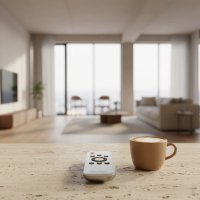
Tired of juggling a handful of remotes just to watch your favorite show or adjust the volume on your LG TV? You’re not alone! In today’s interconnected living rooms, simplifying your control setup with an LG universal remote can feel like a breath of fresh air. Whether you’re aiming to replace a lost remote, consolidate multiple controllers, or unlock advanced smart features, understanding the world of universal remotes for your LG devices is the first step toward true entertainment mastery.

Here at LTVBC.com, we believe that taking control of your tech should be empowering, not frustrating. This guide, crafted from over a decade of hands-on experience, will walk you through everything you need to know about LG universal remotes, from selecting the perfect model to seamless programming and troubleshooting. Get ready to transform your living room into a hub of effortless control.
Understanding LG Universal Remotes: Beyond the Basics
When we talk about an LG universal remote, it’s important to differentiate between a couple of key options. While many people think of a generic “all-in-one” remote, LG also offers its own sophisticated solution.
What is an LG Universal Remote?
Simply put, an LG universal remote is any remote control designed to operate your LG television or other LG-branded devices, along with potentially other home entertainment components from various brands, all from a single handheld unit. This can either be an official LG product with universal capabilities or a third-party universal remote that includes codes for LG devices. The goal is always the same: fewer remotes, more control.
The Magic of LG’s Own: Exploring the LG Magic Remote
Have you ever wished your remote could do more than just change channels? LG’s own Magic Remote is a game-changer for many LG Smart TV owners. This isn’t just a standard remote; it’s a sophisticated input device that doubles as a universal controller.
What makes it magic? The LG Magic Remote often features intuitive mouse-like pointing and a scroll wheel, allowing you to navigate menus with ease. Beyond that, many models include intelligent voice recognition, letting you command your TV and even integrated smart home devices with just your voice. Some also boast gesture recognition, adding another layer of intuitive interaction. But perhaps its most valuable “universal” trick is its ability to control other devices like your soundbar, Blu-ray player, or cable box through the TV’s “Device Connector” settings. This means your TV essentially becomes the central hub, and the Magic Remote controls everything connected to it.
Is my LG TV compatible? Most LG Smart TVs released from 2016 onwards, running on the webOS platform, are compatible with a Magic Remote. However, compatibility can be year-specific, with newer Magic Remote models typically designed for the latest LG TV series (e.g., a 2024 Magic Remote for 2024 TV models). It’s always best to verify the exact model number of your TV and the Magic Remote to ensure a perfect match.
Choosing the Right Universal Remote for Your LG Devices
Deciding on the perfect LG universal remote comes down to your specific needs and existing setup. Are you solely an LG household, or do you have a mix of brands?
Assessing Your Needs: When to Opt for an LG Magic Remote vs. Third-Party
|
Our Picks for the Best Universal Remote in 2026
As an Amazon Associate I earn from qualifying purchases.
|
||
| Num | Product | Action |
|---|---|---|
| 1 | (Pack of 3) Replacement Remote Only for Roku TV with Soft Silicone Protective Cover (Glow in The Dark), Universal Remote for TCL/Onn/Hisense/Sharp/Element/Philips Roku Smart TV (Elegant White) |

|
| 2 | Universal-TV-Remote-Control Compatible with Samsung/LG/Vizio/Hisense/Sony/Philips/Onn/Sharp/RCA/Element/Westinghouse/Sanyo/Emerson TV and More Brand Smart TVs |
|
| 3 | Remote, Universal XRT140R for Vizio TV |
|
| 4 | SofaBaton X1S Universal Remote with Hub and App, All in One Smart Universal Remote Control with Customize Activities, Control Up to 60 IR/Bluetooth/WiFi Devices |
|
| 5 | GE Rechargeable TV Remote Control, Universal Remote Control, Backlit Buttons, Samsung TV Remote Control Replacement for Smart TVs, Apple TV, Sony, Roku Replacement Remote, LG TV, 4-Device, 80984 |
|
| 6 | TV Remote, XRT140R |
|
| 7 | 【Pack of 2】 New Universal Remote for All Samsung TV Remote, Replacement Compatible for All Samsung Smart TV, LED, LCD, HDTV, 3D, Series TV |
|
| 8 | Universal-TV-Remote-Control for Samsung/LG/Vizio/TCL/Hisense/Sony/Philips/Roku Smart TVs, for Insignia/Toshiba Smart TVs |
|
| 9 | BroadLink RM4 pro IR and RF Universal Remote, All in One Hub Code Learning Wi-Fi Remote Control for TV Air Conditioner STB Audio, Curtain Motor, Works with Alexa, Google Home, IFTTT |
|
| 10 | Universal-TV-Remote-Control for Samsung, LG, Hisense, TCL, Sony, Vizio, Onn, Toshiba, Philips and More DVD, Blu ray Player, Soundbar Devices |
|
- Go for an LG Magic Remote if: You have a modern LG Smart TV, you love cutting-edge features like voice control and a motion pointer, and you primarily want to control your LG TV and a few other devices directly connected to it. This offers the most integrated experience with your LG ecosystem.
- Choose a Third-Party Universal Remote if: You own an older LG TV, you need to control a wider array of devices from various manufacturers, or you prefer a simpler, button-based remote without all the “smart” features. These remotes are often more affordable and universally compatible across many brands.
Top Universal Remotes That Play Nicely with LG
While the market is vast, some third-party brands consistently deliver reliable universal remotes for LG TVs. Brands like One For All, GE, Philips, and RCA are widely available and offer extensive code libraries compatible with LG televisions. For those seeking advanced control over complex home theater setups, older Logitech Harmony remotes (though largely discontinued) were once the gold standard, offering highly customizable activity-based control.
When selecting, look for features that matter to you:
- Number of Devices: How many components do you need to control?
- Backlighting: Essential for dark living rooms.
- Programmability: Does it offer easy code entry or an auto-search function?
- Ergonomics: How does it feel in your hand?
- Dedicated Streaming Buttons: Quick access to Netflix, Disney+, or YouTube can be a huge plus.
Step-by-Step: How to Program Your LG Universal Remote
Programming your LG universal remote doesn’t have to be a tech challenge. While the exact steps might vary slightly by remote brand, the core principles remain the same.
Programming a Third-Party Universal Remote to Your LG TV
Most third-party universal remotes rely on a code-entry method. Patience is key, as you might need to try a few codes to find the perfect match.
Manual Code Entry
- Turn On Your LG TV: Make sure your LG TV is powered on manually.
- Activate Programming Mode: Press and hold the “Setup” button on your universal remote until the red indicator light stays lit. If your remote doesn’t have a “Setup” button, try holding the “TV” or “Code Search” button instead.
- Select Device Type: Press the “TV” button (or the button corresponding to the device you want to control) once. The indicator light may blink or change color.
- Enter the Code: Now, enter the 3, 4, or 5-digit programming code for LG TVs using the remote’s number pad. Some common codes for LG include 10178, 11178 (5-digit), 1002, 1004, 1005 (4-digit), or 678, 004, 005 (3-digit).
- Confirm Success: If the code is correct, the red indicator light on your remote should turn off. Test the remote by pressing the “Power” button; if your LG TV turns off, you’ve succeeded! If not, repeat the process with the next code on your list.
Auto Search Method
If you can’t find a code or the manual entry isn’t working, the auto-search method can save the day.
- Turn On Your LG TV: Ensure your LG TV is on.
- Activate Programming Mode: Press and hold the “Setup” button (or “TV” button) on your universal remote until the indicator light remains lit.
- Start Auto Search: Point the remote at your LG TV and repeatedly press the “Power” button every few seconds. Wait for your TV to turn off.
- Lock the Code: As soon as your LG TV turns off, immediately press the “Enter” or “OK” button on your remote to lock in the code. Test the remote to ensure all functions work.
Pairing Your LG Magic Remote with Your LG Smart TV
If you’re setting up a new LG Magic Remote or re-pairing an existing one, the process is usually straightforward.
Initial Pairing
- Power On TV: Turn on your LG Smart TV.
- Pairing: For newer Magic Remotes, simply press the “Home” and “Back” buttons simultaneously for about 5 to 7 seconds. A pairing prompt should appear on your TV screen. Follow the on-screen instructions to complete the connection.
- Troubleshooting Pairing: If pairing fails, try a classic power cycle: unplug your LG TV from the wall, remove batteries from the remote, wait 60 seconds, then plug the TV back in and reinsert the batteries. This often clears glitches.
Setting Up Universal Control for External Devices
Your LG Magic Remote can control other devices connected to your TV, such as a soundbar or cable box, through your TV’s settings.
- Access Universal Control Settings: On your LG remote, press the “Settings” button (looks like a gear). Navigate to “All Settings,” then to the “Connection” section, and select “Universal Control Settings.”
- Add Device: The TV will guide you through adding a device. Select the device type (e.g., “Audio System,” “Set-top Box”) and its brand. Your LG TV will often attempt an automatic search by sending power-off commands.
- Confirm Detection: When your external device turns off, press “OK” on your remote. The TV will confirm the detected brand. You can then test the controls to ensure functionality.
Troubleshooting Common LG Universal Remote Issues
Even the most seasoned tech user encounters hiccups. Don’t worry, many common LG universal remote issues have simple solutions.
“My Remote Isn’t Responding!”
If your remote seems lifeless, start with the basics:
- Check Batteries: This might sound obvious, but dead batteries are the leading cause of remote woes. Replace them with fresh ones.
- Line of Sight: For infrared (IR) remotes, ensure there’s a clear line of sight between the remote’s IR emitter and your TV’s IR receiver. Nothing should be blocking the path.
- Reset the Remote: For Magic Remotes, try holding down the “Volume Down” and “Power” buttons on the remote itself for about 10 seconds, pointing it at the TV. This can reset universal control settings.
“Codes Aren’t Working!”
- Try More Codes: LG TVs often have multiple compatible codes. If the first one doesn’t work, diligently try others from your remote’s manual or online lists. It’s a trial-and-error process.
- Auto Search Again: Re-attempt the auto-search method, ensuring you immediately press “Enter” or “OK” the moment the TV responds.
- Verify Remote Type: Ensure the codes you are using match the type of universal remote you have (e.g., specific codes for RCA, Philips, etc.).
“Magic Remote Pointer Gone Wild!”
If your LG Magic Remote’s on-screen pointer is erratic or unresponsive:
- Re-Pair: Follow the initial pairing steps (holding “Home” and “Back” buttons).
- Recalibrate: Sometimes, simply shaking the remote can recalibrate the pointer. Check your TV’s settings for a specific pointer calibration option if available.
“As Olivia Chen, a seasoned expert in home entertainment systems, often advises, ‘The right universal remote transforms a cluttered coffee table into a streamlined control center. For LG users, understanding the nuances between a dedicated Magic Remote and a multi-brand universal option is key to unlocking a truly seamless viewing experience.'”
FAQs About LG Universal Remotes
Here are some frequently asked questions about LG universal remotes:
Q: Can any universal remote control an LG Smart TV?
A: Most universal remotes with a comprehensive code library can control an LG Smart TV, though advanced features like voice control or motion sensing typically require an official LG Magic Remote.
Q: What are the most common LG universal remote codes?
A: Common 5-digit codes for LG TVs are 10178 and 11178. Other frequently used codes include 1002, 1004 (4-digit), and 678, 004 (3-digit).
Q: How do I know if my LG TV supports a Magic Remote?
A: Most LG Smart TVs from 2016 onward running webOS support the Magic Remote. Check your TV’s model number and year, or consult the LG support website for specific compatibility.
Q: Can I use my LG Magic Remote to control my soundbar?
A: Yes, the LG Magic Remote can be programmed to control compatible soundbars and other devices through your LG TV’s “Universal Control Settings” within the “Connection” menu.
Q: Why is my LG universal remote not changing channels?
A: First, ensure batteries are fresh and there’s a clear line of sight. If still not working, the remote might not be fully programmed or the specific code used may not support all functions. Try re-programming with a different code or using the auto-search function.
Taking Control of Your Entertainment
From the innovative LG Magic Remote to reliable third-party options, streamlining your home entertainment is entirely within reach. We’ve explored the different types of universal remotes compatible with LG, walked through step-by-step programming guides, and tackled common troubleshooting issues. By understanding these tools, you can confidently choose, set up, and troubleshoot your LG universal remote, ensuring a smooth, clutter-free, and enjoyable viewing experience.
Don’t let a pile of remotes dictate your entertainment. Embrace the simplicity and power of a single controller. We encourage you to try these tips and take command of your LG devices. Share your experiences with us at LTVBC.com—we love hearing how you’ve mastered your tech!
Get our weekly buyer guide
Practical specs, not advice. Unsubscribe anytime.