The One For All URC 7140 Essence 4 is widely considered the best One For All universal remote for TV control due to its balance of simplicity, broad compatibility, and essential features. This remote offers a straightforward setup and can manage up to four devices, making it ideal for most living room setups. Its ergonomic design ensures comfortable handling, and the pre-programmed codes simplify the initial configuration process for various TV brands.
Quick comparison
| Model | Devices Controlled | Key Features | Ideal For |
|---|---|---|---|
| One For All URC 7140 Essence 4 | 4 | Simple setup, ergonomic design, learning function | Users needing basic control for TV, STB, DVD, AMP |
| One For All URC 7935 Streamer Remote | 3 | Optimized for streaming, backlit keys, app control | Streaming enthusiasts, smart TV users |
| One For All URC 7110 Essence 2 | 2 | Ultra-simple, large buttons, basic TV/STB control | Seniors, users wanting minimal complexity |
| One For All URC 1210 Smart Control 5 | 5 | Advanced macro functions, activity control, learning | Tech-savvy users, complex home theater setups |
What TV needs from a universal remote
A TV requires a universal remote that offers comprehensive control over its core functions, including power, volume, channel selection, input switching, and menu navigation. Compatibility is paramount; the remote must support a wide array of TV brands and models, ideally through an extensive code library or a learning function. Ease of setup is also crucial, as users prefer a quick and hassle-free pairing process without complex programming steps. Modern TVs often integrate smart features and streaming apps, so a good universal remote should ideally provide dedicated buttons or easy access to these functionalities. Backlighting can be a significant advantage for viewing in dim environments. Furthermore, the remote should have a comfortable grip and logically arranged buttons to enhance the user experience. Durability and reliable signal transmission are also important considerations for long-term use. The ability to control multiple devices beyond just the TV, such as soundbars, cable boxes, or streaming devices, adds significant value by consolidating control into a single unit.
Detailed reviews
One For All URC 7140 Essence 4
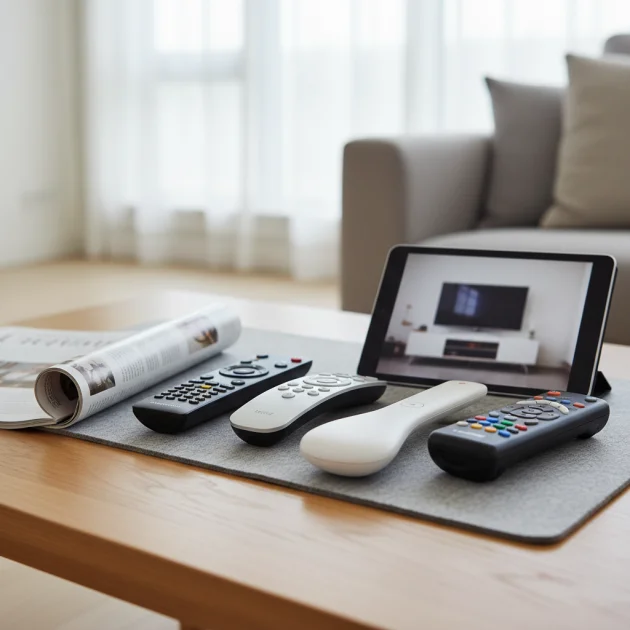
The One For All URC 7140 Essence 4 stands out for its user-friendly design and robust functionality. This remote can control up to four devices, typically a TV, Set-Top Box, DVD/Blu-ray player, and an Audio Amplifier. Its setup is remarkably simple, often requiring just a few button presses to find the correct code for your TV. The Essence 4 features a learning function, allowing it to mimic commands from your original remote if a code isn’t available. The button layout is intuitive, with clearly labeled functions for common TV operations. Its ergonomic shape fits comfortably in hand, reducing fatigue during extended use. This model is an excellent choice for households seeking to declutter their coffee table from multiple remotes without sacrificing essential control over their entertainment system. It operates on standard AAA batteries, offering long-lasting performance.
One For All URC 7935 Streamer Remote
Designed with the modern streaming consumer in mind, the One For All URC 7935 Streamer Remote offers specialized features for smart TVs and media players. This remote controls up to three devices, focusing on TV, soundbar, and a streaming box like Apple TV or Roku. A key feature is its backlit keypad, which makes navigating menus and typing in search queries easy in low-light conditions. It includes dedicated buttons for popular streaming services, providing instant access to Netflix, Amazon Prime Video, and YouTube. The URC 7935 also boasts a unique ‘Combi Control’ feature, allowing you to control your TV and soundbar as if they were one device. Its sleek design and responsive buttons enhance the streaming experience, making it a strong contender for those who primarily use their TV for online content.
One For All URC 7110 Essence 2
For users prioritizing simplicity above all else, the One For All URC 7110 Essence 2 is an ideal choice. This remote is designed to control two devices, typically a TV and a Set-Top Box, with minimal fuss. It features larger, clearly labeled buttons, making it particularly suitable for seniors or individuals who prefer a straightforward interface. The setup process is incredibly easy, often involving a quick code search or a direct code entry. Despite its simplicity, the Essence 2 retains the essential functions needed for daily TV viewing, including power, volume, channel, and input selection. It lacks advanced features like learning or macro functions, but its strength lies in its uncomplicated operation. This remote is perfect for secondary TVs or for users who want to replace a lost or broken original remote with a no-frills alternative.
Routine fit
Integrating a One For All universal remote into your daily routine streamlines your entertainment experience significantly. Instead of juggling multiple remotes for your TV, soundbar, and cable box, a single One For All unit consolidates control. This simplifies powering on your system, adjusting volume, and switching inputs. For families, it reduces confusion about which remote controls what device. Users can quickly access their favorite channels or streaming apps with dedicated buttons, enhancing convenience. The learning function on many One For All models ensures that even obscure functions from original remotes can be replicated. This consolidation not only declutters your living space but also makes operating your home theater system more intuitive and enjoyable for everyone in the household, from tech-savvy individuals to those who prefer a straightforward approach.
FAQs
How do I program a One For All universal remote for my TV?
Programming a One For All universal remote for your TV typically involves a few simple steps. First, locate the brand code for your TV in the remote’s manual. Then, press and hold the ‘Magic’ or ‘Setup’ button until the LED light blinks twice. Enter the 4-digit brand code. If the TV turns off, the code is correct. If not, try the next code listed for your brand. Many One For All remotes also offer a ‘SimpleSet’ feature, where you hold down the ‘Magic’ button and then press the number corresponding to your TV brand, making the process even faster. Some models also support an automatic code search, which cycles through codes until your TV responds.
Can a One For All remote control multiple devices beyond just the TV?
Yes, most One For All universal remotes are designed to control multiple devices. The specific number of devices depends on the model. For example, the Essence 4 can control up to four devices (TV, Set-Top Box, DVD/Blu-ray, Audio Amplifier), while the Essence 2 controls two. Higher-end models like the Smart Control 5 can manage up to five devices. This multi-device capability is a primary benefit of a universal remote, allowing you to consolidate control over your entire home entertainment system into a single, convenient unit, reducing clutter and simplifying operation.
What if my TV brand is not listed in the One For All remote’s code list?
If your TV brand is not explicitly listed in the One For All remote’s code list, you still have options. Many One For All remotes feature a ‘learning’ function. This allows the universal remote to ‘learn’ commands directly from your original TV remote. You simply point the original remote at the universal remote and press the desired button. The universal remote will then store that command. Additionally, some remotes offer an automatic code search feature, which systematically tries various codes until it finds one that works with your TV, even if the brand isn’t specifically listed.
Are One For All remotes compatible with smart TVs and streaming devices?
Yes, One For All remotes are generally compatible with smart TVs and many popular streaming devices. Models like the URC 7935 Streamer Remote are specifically optimized for streaming, featuring dedicated buttons for services like Netflix and Amazon Prime Video. Even standard universal remotes from One For All can often control smart TV functions like input switching and menu navigation. For streaming devices such as Apple TV, Roku, or Fire TV, many One For All remotes have codes or learning capabilities to manage their basic functions, providing a unified control experience for your entire smart home entertainment setup.
What is the ‘learning function’ on a One For All remote?
The ‘learning function’ on a One For All remote allows it to replicate commands from an original remote control. If a specific function or device code is not available in the universal remote’s pre-programmed library, you can use the learning feature. To do this, you typically place the original remote and the One For All remote facing each other. You then press a button on the One For All remote that you want to program, followed by the corresponding button on the original remote. The One For All remote ‘learns’ the infrared signal, enabling it to perform that specific command. This ensures comprehensive control even for unique or older devices.
Verdict
For most users seeking the best One For All universal remote for TV, the URC 7140 Essence 4 offers an optimal blend of features, ease of use, and broad compatibility. Its ability to control four devices, coupled with a straightforward setup and learning function, makes it a highly practical choice for consolidating your home entertainment controls. While specialized models like the URC 7935 cater to streaming enthusiasts and the URC 7110 to those desiring ultimate simplicity, the Essence 4 provides a robust and versatile solution that meets the needs of a wide range of TV viewers, ensuring a clutter-free and intuitive control experience.
Frequently Asked Questions
How do I program a One For All universal remote for my TV?
Programming a One For All universal remote for your TV typically involves locating your TV's brand code in the manual, then pressing and holding the 'Magic' or 'Setup' button. After the LED blinks twice, enter the 4-digit brand code. Many models also feature a 'SimpleSet' option where you hold 'Magic' and press a number corresponding to your TV brand for faster setup.
Can a One For All remote control multiple devices beyond just the TV?
Yes, most One For All universal remotes are designed to control multiple devices. For instance, the Essence 4 can control up to four devices, including a TV, Set-Top Box, DVD/Blu-ray, and Audio Amplifier. Higher-end models like the Smart Control 5 can manage up to five devices, consolidating control over your entire home entertainment system.
What if my TV brand is not listed in the One For All remote's code list?
If your TV brand is not listed, many One For All remotes offer a 'learning' function, allowing the universal remote to mimic commands directly from your original TV remote. Additionally, some remotes include an automatic code search feature that systematically tries various codes until it finds one compatible with your TV, even if the brand isn't explicitly listed.
Are One For All remotes compatible with smart TVs and streaming devices?
Yes, One For All remotes are generally compatible with smart TVs and popular streaming devices. Models like the URC 7935 Streamer Remote are specifically optimized for streaming, featuring dedicated buttons for services such as Netflix and Amazon Prime Video. Most standard One For All remotes can also control smart TV functions and basic operations of streaming devices like Apple TV or Roku.
What is the 'learning function' on a One For All remote?
The 'learning function' on a One For All remote enables it to replicate commands from an original remote control. If a specific function or device code is missing from the universal remote's pre-programmed library, you can use this feature. You typically align both remotes and press the desired button on the universal remote, followed by the corresponding button on the original remote, allowing the universal remote to 'learn' the infrared signal.
Get our weekly buyer guide
Practical specs, not advice. Unsubscribe anytime.

The ergonomic design of the One For All URC 7140 Essence 4 is a huge plus for me. It feels really comfortable in hand, unlike some of the clunky remotes I’ve used before. Plus, the pre-programmed codes made getting it working with my Samsung TV and Denon receiver a breeze. No more searching for codes online, which is a relief.
I finally replaced my pile of remotes with the One For All URC 7140 Essence 4, and it’s been a game-changer. The setup was surprisingly easy, and it really does control my TV, soundbar, and Blu-ray player without any fuss. I love not having to juggle three different controllers just to watch a movie. Definitely recommend it for anyone looking to simplify their entertainment system.
I got the One For All URC 7935 Streamer Remote hoping it would be perfect for my smart TV and Apple TV. It’s good, and the backlit keys are a nice touch for late-night viewing. However, I found the app control a bit clunky to set up initially. It works now, but it took a bit more effort than I expected to get everything synced up perfectly.
My parents needed something super simple, so I got them the One For All URC 7110 Essence 2. The large buttons are fantastic for them, and it really is just basic TV and cable box control, which is exactly what they needed. It was easy to program and they haven’t had any issues with it. Great for older users or anyone who just wants minimal complexity.