Tired of juggling a collection of remotes just to control your Samsung Smart TV, soundbar, and streaming devices? We get it. Modern home entertainment systems, while amazing, often come with a confusing array of controllers, each with its own specific job. But what if you could simplify all that with one sleek, intuitive device? Welcome to the world of universal remotes, your ultimate solution for a streamlined and enjoyable Samsung Smart TV experience.
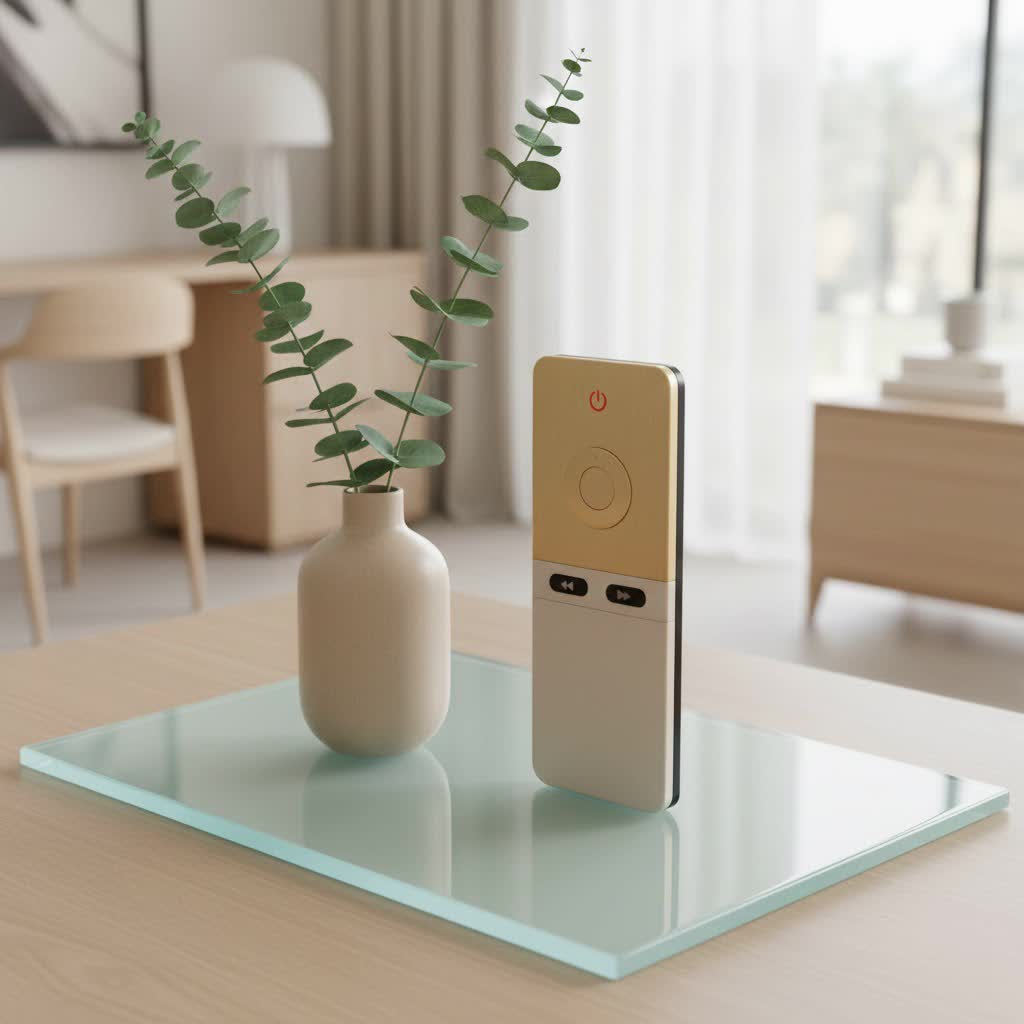
At LTVBC, we’re dedicated to helping you navigate the complexities of home control. With over a decade of expertise in designing, programming, and supporting remote control technology, we understand the nuances of connecting your devices. A universal remote for your Samsung Smart TV isn’t just a gadget; it’s an upgrade to your daily life, offering unparalleled convenience and control. Let’s dive into how you can choose, program, and master the perfect universal remote for your setup.
Why You Need a Universal Remote for Your Samsung Smart TV
The primary reason most people consider a universal remote is straightforward: convenience. Imagine turning on your TV, adjusting the volume on your sound system, and launching your favorite streaming app—all with a single button press. That’s the power of a universal remote.
Beyond decluttering your coffee table, a universal remote offers several compelling advantages for Samsung Smart TV owners:
- Consolidated Control: Instead of using separate remotes for your Samsung TV, Blu-ray player, cable box, soundbar, and media streamer, one universal remote can command them all. This eliminates the frustration of searching for the right remote every time you switch devices.
- Lost or Broken Original Remote: Original remotes can get lost, broken, or simply stop working. A universal remote serves as an excellent replacement, often at a more affordable price than an OEM (Original Equipment Manufacturer) replacement.
- Enhanced Features: Many universal remotes come equipped with features that even your original Samsung remote might lack, such as full backlighting for easy use in the dark, dedicated app buttons for popular streaming services like Netflix and YouTube, and even “activity” keys that execute a sequence of commands with one press (e.g., “Watch Movie” could turn on the TV, sound system, and Blu-ray player).
- Streamlined Experience: A well-programmed universal remote simplifies your entire home entertainment experience, making it more intuitive and enjoyable for everyone in the household.
Types of Universal Remotes Compatible with Samsung Smart TVs
The world of universal remotes is diverse, with options ranging from simple, affordable models to sophisticated, app-driven powerhouses. Understanding the different types will help you choose the best fit for your Samsung Smart TV:
Basic IR Remotes
These are your most common and often most affordable universal remotes. They operate using Infrared (IR) signals, just like most standard TV remotes.
- Features: Typically control 3-6 devices, handle essential functions like power, volume, channel, and input. Many are pre-programmed for popular brands like Samsung or offer auto-code search for easy setup.
- Best For: Users who want to replace a lost or broken Samsung TV remote with a simple, multi-device solution without needing advanced smart features. For instance, remotes like the Philips 6-Device Backlit Universal Remote Control are often preprogrammed for immediate use with Samsung TVs and provide user-friendly setup options like auto code search or direct code entry programming.
|
Our Picks for the Best Universal Remote in 2026
As an Amazon Associate I earn from qualifying purchases.
|
||
| Num | Product | Action |
|---|---|---|
| 1 | GE Rechargeable TV Remote Control, Universal Remote Control, Backlit Buttons, Samsung TV Remote Control Replacement for Smart TVs, Apple TV, Sony, Roku Replacement Remote, LG TV, 4-Device, 80984 |

|
| 2 | BroadLink RM4 pro IR and RF Universal Remote, All in One Hub Code Learning Wi-Fi Remote Control for TV Air Conditioner STB Audio, Curtain Motor, Works with Alexa, Google Home, IFTTT |
|
| 3 | Universal-TV-Remote-Control for Samsung, LG, Hisense, TCL, Sony, Vizio, Onn, Toshiba, Philips and More DVD, Blu ray Player, Soundbar Devices |
|
| 4 | TV Remote, XRT140R |
|
| 5 | 【Pack of 2】 New Universal Remote for All Samsung TV Remote, Replacement Compatible for All Samsung Smart TV, LED, LCD, HDTV, 3D, Series TV |
|
| 6 | Universal-TV-Remote-Control Compatible with Samsung/LG/Vizio/Hisense/Sony/Philips/Onn/Sharp/RCA/Element/Westinghouse/Sanyo/Emerson TV and More Brand Smart TVs |
|
| 7 | Universal-TV-Remote-Control for Samsung/LG/Vizio/TCL/Hisense/Sony/Philips/Roku Smart TVs, for Insignia/Toshiba Smart TVs |
|
| 8 | Remote, Universal XRT140R for Vizio TV |
|
| 9 | SofaBaton X1S Universal Remote with Hub and App, All in One Smart Universal Remote Control with Customize Activities, Control Up to 60 IR/Bluetooth/WiFi Devices |
|
| 10 | (Pack of 3) Replacement Remote Only for Roku TV with Soft Silicone Protective Cover (Glow in The Dark), Universal Remote for TCL/Onn/Hisense/Sharp/Element/Philips Roku Smart TV (Elegant White) |
|
Advanced IR/RF Remotes
These remotes build on basic IR functionality, sometimes incorporating Radio Frequency (RF) for certain devices, allowing control without direct line of sight.
- Features: Often include backlighting, more device capacity (up to 8 or more), dedicated streaming app buttons (Netflix, Hulu, Prime Video, YouTube), and sometimes advanced DVR functions or primary audio control that adjusts volume regardless of the active device.
- Best For: Users with a few more devices and a desire for enhanced usability, such as a backlit keypad for dark rooms or quick access to streaming platforms. The RCA 3-Device Universal Remote, for example, features quick access keys for popular apps and a dedicated streaming device key.
Smart Remotes/App-Controlled Remotes
These are the most sophisticated universal remotes, often integrating with smartphone apps and utilizing Bluetooth or Wi-Fi for expanded control capabilities.
- Features: Can control a larger number of devices, offer “activity” keys that control multiple devices simultaneously, have customizable interfaces via a companion app, and sometimes include voice control features. Programming can often be done directly from an app via Bluetooth, simplifying the process significantly. The One for All 8 Device Universal Smart 8 TV Remote uses a Smart App for programming via Bluetooth, allowing you to select devices in the app and have codes sent directly to the remote.
- Best For: Tech enthusiasts, users with complex home theater setups, or those who want the most seamless and customizable control experience.
While OEM replacement remotes from Samsung Parts offer 100% genuine parts for exact model compatibility, universal remotes provide broader control over various brands and devices, making them a more versatile choice for consolidating your entertainment system.
How to Choose the Perfect Universal Remote for Your Samsung Smart TV
Selecting the right universal remote for your Samsung Smart TV involves more than just picking the first one you see. Here’s a checklist to guide you:
- Compatibility with Samsung Smart TV: This is paramount. Most major universal remote brands offer extensive code libraries that include Samsung TVs. Look for remotes explicitly stating compatibility with Samsung, or those that feature broad brand support. Many popular models are even pre-programmed for Samsung TVs, meaning they work right out of the box.
- Number of Devices You Need to Control: Count your components: TV, soundbar, Blu-ray player, cable/satellite box, streaming stick, gaming console. Universal remotes typically range from 3-device to 8-device control. Choose one that matches or exceeds your current setup, allowing room for future additions.
- Programming Methods:
- Auto-Code Search: The remote scans through codes until your device responds. This is often the easiest method for beginners.
- Direct Code Entry: You manually enter a specific code from a list or online database. This offers precision but requires looking up codes.
- Brand Code Search: Similar to auto-code, but faster by searching only codes for your chosen brand.
- App-Based Programming: For smart remotes, this is often the most user-friendly, guiding you through the setup via a smartphone app.
- Key Features and Functionality:
- Backlighting: Essential for navigating your remote in a dimly lit room.
- Streaming Service Buttons: Direct access to Netflix, Hulu, Prime Video, YouTube, Disney+ can be a game-changer.
- Voice Control: If your Samsung Smart TV or other devices support it, some advanced universal remotes offer integrated voice command capabilities.
- Activity Keys/Macros: These allow you to program a sequence of commands into a single button.
- Primary Audio Control: This feature ensures that the volume buttons always control your sound system, even when you’re using another device.
- Ergonomics and Design: A remote should feel comfortable in your hand. Consider button layout, size, and material. Some remotes are rechargeable, like the TERK 4-Device Backlit Universal Remote, which can provide up to 6 months of operation on a full charge.
- Budget: Universal remotes vary widely in price. Determine your budget, but remember that investing a little more often means better features and durability.
“In my ten years navigating the world of universal remotes, I’ve seen countless users regain control and enjoyment of their home entertainment. For Samsung Smart TV owners, the right universal remote isn’t just about convenience; it’s about unlocking a truly integrated viewing experience, reducing clutter, and simplifying daily interactions,” says Alex Chen, Lead Remote Control Architect at LTVBC.
Programming Your Universal Remote for a Samsung Smart TV: A Step-by-Step Guide
Once you’ve chosen your universal remote, the next crucial step is programming it to work with your Samsung Smart TV. While specific steps can vary by remote model, most follow similar principles. Here are the common methods:
General Preparation
Before you begin, ensure your Samsung Smart TV is powered on and easily visible to your universal remote. Have your remote’s instruction manual handy, as it will contain specific device buttons and potentially a list of Samsung codes.
Method 1: Auto-Code Search (Remote Hunts Automatically)
This method is often preferred for its simplicity, as the remote does most of the work.
- Select Device: On your universal remote, press the
TVdevice button. - Activate Setup: Press and hold the
Setupbutton (orSET,CODE SET, etc.) until the device indicator light turns on and stays solid. Release the button. - Start Scan: Point the universal remote directly at your powered-on Samsung TV. Repeatedly press the
Powerbutton on the universal remote, one tap at a time, allowing a moment between presses. Each press sends a different code. - Lock Code: Continue pressing
Poweruntil your Samsung TV turns off. As soon as it does, immediately press theOK(orEnter,Save) button on your universal remote to lock in the correct code. The device light should turn off, indicating successful setup. - Test Functions: Try turning the TV on and off, changing channels, adjusting volume, and accessing the menu. If all functions respond, you’re good to go! If not, repeat the process.
Method 2: Direct Code Entry (Using Manufacturer Codes)
This method requires finding specific codes for Samsung TVs, often found in your remote’s manual or online.
- Find Your Remote’s Code List: Sometimes, inside the battery compartment of your universal remote, you’ll find a label like “CL5” or “CL6.” This indicates your remote’s specific code list version. Alternatively, visit the remote manufacturer’s website (e.g., byjasco.com/universalremotecodes) and select your device type (TV) and brand (Samsung) to get a list of codes.
- Activate Setup: Press and hold the
Setupbutton on your universal remote until the device indicator light turns on and stays solid. Release the button. - Select Device: Tap the
TVbutton once. - Enter Code: Enter the 4-digit (or 3, or 5-digit, depending on your remote) Samsung code you found.
- Test Code: After entering the code, press the
Powerbutton. If your Samsung TV turns off or on, the code is correct. - Verify & Test: Test all essential functions (power, volume, channel, menu). If it works, you’re set. If not, try the next code on your list until one successfully operates your TV.
Method 3: App-Based Programming (for Smart Universal Remotes)
For advanced universal remotes with smart features, programming is often done through a dedicated smartphone app.
- Download App: Install the manufacturer’s companion app on your smartphone (available for Android and iOS).
- Pair Remote: Follow the in-app instructions to pair your universal remote with your smartphone, usually via Bluetooth.
- Select Devices: Within the app, select “TV” as the device type and “Samsung” as the brand. The app will guide you through the process, often sending the codes directly to your remote.
- Test Functions: Once configured, test all functions to ensure comprehensive control.
Troubleshooting Common Universal Remote Issues with Samsung Smart TVs
Even with the best instructions, you might encounter a hiccup or two. Here are some common issues and their fixes:
- Remote Not Responding:
- Check Batteries: This is the simplest fix. Replace old batteries with fresh ones.
- Line of Sight: Ensure nothing is blocking the infrared beam between your remote and your Samsung TV.
- Re-program: The code might have been lost or was incorrect initially. Try programming your remote again using one of the methods above.
- Limited Functionality (Only some buttons work):
- Try Different Codes: The code you entered might be partially compatible. Consult your remote’s manual or an online code finder for alternative Samsung codes and try them out.
- Learning Function: Some advanced universal remotes have a “learning” feature that allows them to “learn” commands directly from your original Samsung remote. This is useful for specific functions that aren’t working.
- Volume Not Controlling Your Sound System:
- Primary Audio Control: Many universal remotes have a “Primary Audio Control” feature. You’ll need to set this up to “lock” the volume buttons to your soundbar or receiver, regardless of which device you’re currently controlling. Refer to your remote’s manual for instructions.
- Remote Works Intermittently:
- Battery Power: Low batteries can cause inconsistent performance.
- Interference: Other electronic devices or strong light sources can sometimes interfere with IR signals.
Top Universal Remote Brands for Samsung Smart TVs (and What We Recommend at LTVBC)
Based on our extensive experience and market research, several brands consistently deliver reliable universal remotes for Samsung Smart TVs.
- Philips: A strong contender for value and ease of use. Many Philips universal remotes are pre-programmed for immediate use with Samsung TVs and offer both auto-code search and direct code entry. They often include backlit keypads and multi-device control (up to 6 devices), making them a great everyday choice. The Philips 6-Device Backlit Universal Remote is a highly-rated option.
- RCA: Known for practical features, RCA universal remotes frequently offer quick-access streaming keys and are often rechargeable via USB-C, providing long battery life. They are a solid choice for those who prioritize ease of access to streaming services. The RCA 3-Device Universal Remote Control is a good example.
- TERK: TERK offers rechargeable universal remotes that are compatible with most TVs, satellite/cable boxes, and streaming players. Their backlit keypads ensure usability in any lighting, and they are generally easy to connect with Samsung TVs.
- One for All: If you’re looking for more advanced control, One for All remotes are excellent. Models like the One for All 8 Device Universal Smart 8 TV Remote offer app-based programming via Bluetooth and customizable activity keys, allowing you to control multiple devices as if they were one. They also include direct access keys for popular streaming services.
LTVBC’s Expert Take: For most Samsung Smart TV users looking for a straightforward, multi-device solution, a Philips or RCA remote offers excellent value and simple programming. If you have a more complex setup or crave advanced features like app-based programming and custom activity macros, a One for All remote will elevate your entertainment experience. Always prioritize models that explicitly mention Samsung compatibility and programming methods that suit your comfort level.
Frequently Asked Questions (FAQ)
Q: Can any universal remote work with a Samsung Smart TV?
A: Most universal remotes are designed with extensive code libraries that include major TV brands like Samsung. However, not every universal remote will be compatible with every Samsung Smart TV model, especially older or very new proprietary technologies. Always check the remote’s specifications for Samsung compatibility.
Q: Do I need a special code for my Samsung Smart TV?
A: Yes, if you’re using the direct code entry method, you’ll need a specific code for your Samsung Smart TV. These codes are usually found in your universal remote’s manual or on the manufacturer’s website. Many remotes also offer an “auto-code search” feature that finds the code for you automatically.
Q: Will a universal remote support my Samsung Smart TV’s smart features (apps, voice)?
A: Basic universal remotes might only control core TV functions. More advanced universal remotes, especially “smart” or app-controlled models, often include dedicated streaming app buttons and some may even support voice control if the remote and TV are compatible via Bluetooth or Wi-Fi. Look for these features specifically if they are important to you.
Q: What if my universal remote stops working with my Samsung TV?
A: First, check the batteries. If replacing them doesn’t help, the remote might have lost its programming. Try reprogramming it using either the auto-code search or direct code entry method. Ensure there’s a clear line of sight between the remote and the TV.
Q: How many devices can a universal remote control?
A: The number of devices a universal remote can control varies by model. Basic models typically handle 3-4 devices, while more advanced ones can manage 6, 8, or even more, covering your TV, sound system, cable box, streaming devices, and Blu-ray players.
Conclusion
Say goodbye to remote clutter and hello to seamless control! A universal remote for your Samsung Smart TV is more than just a convenience; it’s an intelligent upgrade to your home entertainment system. By consolidating control into a single, intuitive device, you’ll simplify your daily interactions, enhance your viewing experience, and bring harmony back to your living room.
Whether you opt for a simple, pre-programmed model or a feature-rich smart remote, the right universal remote puts you firmly in command. We at LTVBC are here to empower you with the knowledge to make the best choice. Explore the options, pick your perfect match, and start enjoying the effortless control of your Samsung Smart TV today. Your remote control future is now!
