In today’s interconnected living rooms, juggling multiple remotes can feel like a chore. That’s where a Directv Universal Remote steps in, designed to streamline your entertainment experience by consolidating control of your DIRECTV receiver, TV, and other audio-visual devices into one sleek unit. As a seasoned expert in universal remote technology and the principal content creator for LTVBC.com, I’ve spent over a decade unraveling the complexities of these devices, and I’m here to guide you through everything you need to know to truly master your DIRECTV universal remote.
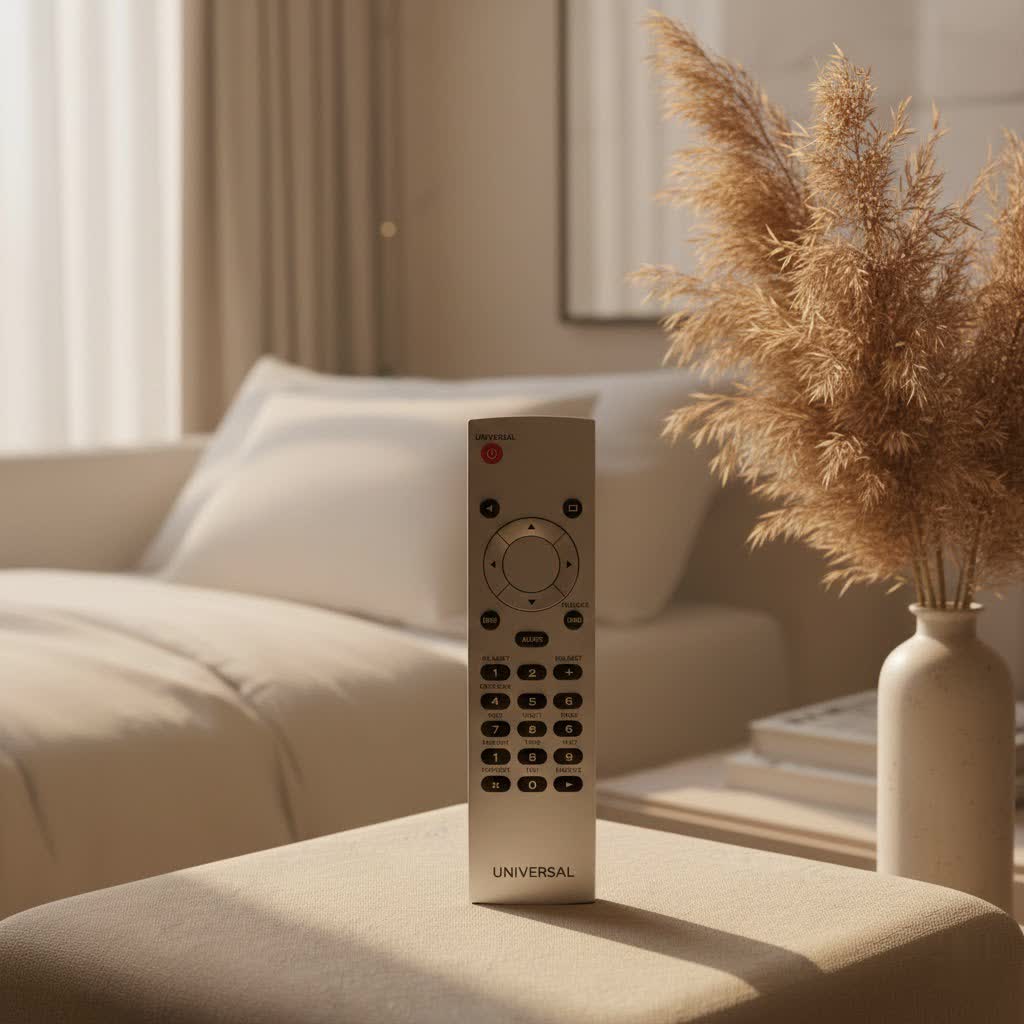
A properly configured DIRECTV universal remote isn’t just a convenience; it’s the command center for your entire home entertainment system. From adjusting the volume on your soundbar to changing channels on your receiver and even powering off your television, the right remote simplifies your daily interactions with technology. Let’s dive in and unlock the full potential of your DIRECTV universal remote.
Different Types of DIRECTV Universal Remotes
DIRECTV has offered a range of universal remotes over the years, each with unique features and compatibility. Understanding these differences is key to effective control.
Standard DIRECTV Universal Remotes (e.g., RC66RX, RC65R)
|
Our Picks for the Best Universal Remote in 2026
As an Amazon Associate I earn from qualifying purchases.
|
||
| Num | Product | Action |
|---|---|---|
| 1 | Universal-TV-Remote-Control for Samsung, LG, Hisense, TCL, Sony, Vizio, Onn, Toshiba, Philips and More DVD, Blu ray Player, Soundbar Devices |

|
| 2 | Remote, Universal XRT140R for Vizio TV |
|
| 3 | Universal-TV-Remote-Control for Samsung/LG/Vizio/TCL/Hisense/Sony/Philips/Roku Smart TVs, for Insignia/Toshiba Smart TVs |
|
| 4 | SofaBaton X1S Universal Remote with Hub and App, All in One Smart Universal Remote Control with Customize Activities, Control Up to 60 IR/Bluetooth/WiFi Devices |
|
| 5 | GE Rechargeable TV Remote Control, Universal Remote Control, Backlit Buttons, Samsung TV Remote Control Replacement for Smart TVs, Apple TV, Sony, Roku Replacement Remote, LG TV, 4-Device, 80984 |
|
| 6 | (Pack of 3) Replacement Remote Only for Roku TV with Soft Silicone Protective Cover (Glow in The Dark), Universal Remote for TCL/Onn/Hisense/Sharp/Element/Philips Roku Smart TV (Elegant White) |
|
| 7 | 【Pack of 2】 New Universal Remote for All Samsung TV Remote, Replacement Compatible for All Samsung Smart TV, LED, LCD, HDTV, 3D, Series TV |
|
| 8 | TV Remote, XRT140R |
|
| 9 | BroadLink RM4 pro IR and RF Universal Remote, All in One Hub Code Learning Wi-Fi Remote Control for TV Air Conditioner STB Audio, Curtain Motor, Works with Alexa, Google Home, IFTTT |
|
| 10 | Universal-TV-Remote-Control Compatible with Samsung/LG/Vizio/Hisense/Sony/Philips/Onn/Sharp/RCA/Element/Westinghouse/Sanyo/Emerson TV and More Brand Smart TVs |
|
These are the workhorses that have served many DIRECTV subscribers for years. Models like the RC66, RC65, and RC66RX are typically infrared (IR) remotes, meaning they require a direct line of sight to the devices they control. However, many of these, like the RC66RX, also boast radio frequency (RF) capabilities, which means they can control compatible DIRECTV receivers even when they’re hidden in a cabinet or in another room. They generally feature a slide switch at the top to select the device you wish to control (DIRECTV, TV, AV1, AV2).
DIRECTV Genie Remotes (e.g., RC73, RC71)
The Genie remote, such as the popular RC73, is designed for DIRECTV’s Genie HD DVRs and Genie Mini clients. These remotes primarily operate using RF technology, offering enhanced flexibility and eliminating the need for line-of-sight control to the DIRECTV receiver. While they operate in RF mode for the Genie receiver, they often use IR signals to control your TV and other audio devices. The RC73, in particular, is known for its simplified, modeless control, where most keys directly command the DIRECTV receiver, with only the VOLUME, MUTE, and INPUT buttons typically controlling the programmed TV or audio device. Some versions, like the RC73B, even feature convenient backlighting for use in dimly lit rooms.
Expert Insight: “The evolution from traditional IR remotes to the RF-capable Genie remotes marked a significant leap in user convenience,” explains Maria Rodriguez, our lead remote design engineer at LTVBC. “Being able to control your receiver without aiming opens up new possibilities for entertainment setup and decluttering.”
How to Choose the Right DIRECTV Universal Remote
Selecting the perfect DIRECTV universal remote for your needs involves considering several factors beyond just what came in the box.
Compatibility with Your DIRECTV Receiver
This is paramount. While many standard universal remotes work with a wide range of DIRECTV receivers, Genie remotes like the RC73 are specifically optimized for Genie HD DVRs (HR44 or higher), Genie Lite (H44 or higher), and Genie Mini clients (C41 or higher). Always check your receiver’s model number before investing in a new remote.
Infrared (IR) vs. Radio Frequency (RF)
- IR Remotes: Require a clear line of sight. Great for simple setups where your devices are exposed.
- RF Remotes: Do not require line of sight to the DIRECTV receiver. Ideal if your receiver is in a cabinet, behind a wall, or in a different room. Most newer DIRECTV universal remotes and all Genie remotes offer RF capabilities for the receiver.
Device Control Capacity
How many devices do you want to control? Most DIRECTV universal remotes can manage your DIRECTV receiver, a TV, and two additional AV devices (like a soundbar, DVD player, or streaming box). If your entertainment system is more complex, ensure the remote you choose has enough programmable slots.
Features and Ergonomics
Consider features like:
- Backlighting: Essential for late-night viewing without fumbling for buttons. Some RC73B models come with this.
- Button Layout and Feel: Do the buttons feel responsive? Is the layout intuitive?
- Learning Capability: Some advanced universal remotes can “learn” commands from your original remotes, perfect for controlling obscure devices. While standard DIRECTV remotes don’t typically have this, third-party universal remotes might.
- Size and Weight: A remote should feel comfortable and balanced in your hand.
Programming Your DIRECTV Universal Remote
Programming your DIRECTV universal remote is a straightforward process, but it differs slightly depending on whether you have a standard universal remote or a Genie remote, and which device you’re trying to control.
How do I program my DIRECTV universal remote to my DIRECTV receiver?
For most newer DIRECTV remotes, especially Genie remotes, pairing with the DIRECTV receiver is often automatic or a simple RF pairing process.
For Genie Remotes (RC73, RC71):
- Ensure your Genie receiver is powered on.
- Point the remote at your Genie receiver (or Genie Mini, Wireless Genie Mini).
- Press and hold the MUTE and ENTER buttons simultaneously until the TV screen displays “Applying IR/RF Setup. Please Wait…”
- Release the buttons and wait for a confirmation message like “Your Remote is now setup for RF.”
- Follow any on-screen prompts to complete the pairing.
For Standard Universal Remotes (RC66RX, RC65R):
If your standard remote isn’t automatically controlling your receiver, you might need to manually program it.
- Turn on your DIRECTV receiver.
- Slide the MODE switch to DIRECTV.
- Press and hold the MUTE and SELECT keys simultaneously until the green light under the DIRECTV position flashes twice, then release.
- Enter the 5-digit code for your DIRECTV Receiver brand (consult your remote’s manual or an online code lookup tool).
- If the green light flashes twice, the code is accepted. Test by pressing the PWR key. Your receiver should turn off. If not, repeat the steps with other codes for your brand.
How do I program my DIRECTV universal remote to my TV for volume and power?
Controlling your television’s power and volume with your DIRECTV remote is a common goal. Here’s how:
General Steps (for most DIRECTV Universal Remotes):
- Turn on your TV manually.
- Locate your TV’s 5-digit programming code. You can find this in your remote’s user guide, on the DIRECTV website’s code lookup tool, or by searching online.
- On your DIRECTV remote, slide the MODE switch to TV.
- Press and hold the MUTE and SELECT buttons simultaneously until the green light under the TV icon flashes twice, then release.
- Enter the 5-digit code for your TV brand.
- If the green light flashes twice, the code is accepted. Aim the remote at your TV and press the PWR key once. Your TV should turn off.
- If it doesn’t turn off, repeat steps 3-6, trying the next code on your list for your TV brand.
- Once programmed, you may also need to activate the TV Input button for some models.
For Genie Remotes (RC73, RC71) via On-Screen Menu:
Genie remotes often offer an easier, on-screen programming method.
- Press the MENU button on your remote.
- Navigate to Settings & Help, then Settings.
- Select Remote Control, then Program Remote.
- Choose “Program a TV” (or “Program an Audio Device”).
- Follow the on-screen prompts to find and test the correct code for your TV.
How do I program my DIRECTV universal remote to an audio device (e.g., soundbar, receiver)?
The process is very similar to programming your TV.
- Turn on the audio component you wish to control.
- Locate the 5-digit code for your audio device brand.
- On your DIRECTV remote, slide the MODE switch to AV1 or AV2.
- Press and hold the MUTE and SELECT keys simultaneously until the green light under AV1 (or AV2) flashes twice, then release.
- Enter the 5-digit code for your audio device.
- If the green light flashes twice, the code is accepted. Aim the remote at your audio device and press the PWR key. Your device should turn off. If not, repeat steps 3-6, trying other codes.
Common Troubleshooting Tips for DIRECTV Universal Remotes
Even with the best intentions, you might run into a snag or two. Here are some common issues and quick fixes for your DIRECTV universal remote:
-
Remote Not Responding:
- Check Batteries: This is often the simplest fix! Low battery power can cause slow blinking or no light at all. Replace with fresh AA batteries.
- Line of Sight (for IR remotes): Ensure there are no obstructions between the remote and the device you’re trying to control.
- Reset the Remote: For some models, removing the batteries for a few minutes can reset internal circuits. You can also try resetting the receiver by pressing the red reset button.
- Re-pair or Reprogram: If your remote suddenly stops working, try the programming steps again.
-
Volume/Power Buttons Not Working on TV/Audio Device:
- This usually means the TV or audio device code wasn’t programmed correctly. Double-check the codes and try alternative ones.
- Ensure the remote’s slide switch is in the correct position (e.g., TV for TV control).
-
Green Light Blinks Slowly or Not at All:
- This is a strong indicator of low battery power. Replace your batteries immediately.
-
Remote Controls Receiver but Not Genie Mini:
- Ensure the Genie Mini client device is properly paired or connected and powered on. Re-pair the remote with the client device if necessary.
-
Incorrect Codes:
- Sometimes the first code you try for your TV or audio brand won’t work. Many brands have multiple codes. Keep trying different codes from the list until you find the one that works.
- If you can’t find a code, some remotes have a “code search” function which cycles through codes automatically (refer to your manual for specific steps).
Top DIRECTV Universal Remote Models and Features
While specific models come and go, some have stood out for their reliability and user experience.
DIRECTV RC73 Genie Remote
This is arguably the most recognized modern DIRECTV universal remote.
- Key Features: Primarily RF control for Genie receivers (HR44, HR54, Genie Mini, etc.), simplified “modless” design where most buttons control the receiver, IR control for TVs and audio devices, compact design.
- Best For: Users with DIRECTV Genie systems looking for seamless, non-line-of-sight control of their receiver and integrated control of their TV and a single audio device. The backlit RC73B variant is excellent for dimly lit environments.
DIRECTV RC66RX Universal Remote
A highly versatile and widely compatible remote.
- Key Features: Both IR and RF capabilities (RF for compatible DIRECTV receivers), controls up to four devices (DIRECTV, TV, AV1, AV2), traditional slide switch for device selection, broad compatibility with many DIRECTV receiver models.
- Best For: Users with older DIRECTV HD DVRs or standard receivers who need a robust universal remote that can handle multiple components. Its RF capability is a big plus for hidden equipment.
RC64/RC65 Series
Older but still functional DIRECTV universal remote models that many users still rely on.
- Key Features: Primarily IR, some models offer limited RF. Controls up to four devices.
- Best For: Those needing a reliable replacement for an older remote or a secondary remote for a less frequently used room.
When considering replacements, be aware that while official DIRECTV remotes are always the safest bet for compatibility, several third-party universal remotes from brands like One For All also offer programming for DIRECTV systems. These can sometimes offer additional features or broader device compatibility if your home theater setup is particularly intricate.
Frequently Asked Questions about DIRECTV Universal Remotes
Q: Can a DIRECTV universal remote control my smart TV’s apps?
A: Generally, no. While a DIRECTV universal remote can typically control your smart TV’s power, volume, and input, it usually cannot navigate or launch specific smart TV applications (like Netflix or Hulu). For app control, you’ll need your TV’s original remote or a dedicated smart TV remote.
Q: What if my TV brand isn’t listed in the DIRECTV remote code lookup?
A: If your specific TV brand isn’t listed, or the provided codes don’t work, you can try the remote’s “code search” function (if available) or perform an online search for less common TV brand codes that might be compatible with DIRECTV remotes. Patience and trial-and-error are key here.
Q: Can I use one DIRECTV universal remote for multiple DIRECTV receivers in my home?
A: Yes, if your receivers are in different rooms, you can program individual remotes for each receiver. If receivers are in close proximity, you might experience interference with IR remotes. RF-capable Genie remotes paired to specific receivers mitigate this, allowing distinct control.
Q: How often do I need to reprogram my DIRECTV universal remote?
A: Typically, once programmed, your remote retains its settings. You usually only need to reprogram if you change batteries, get a new TV or audio device, or if the remote’s settings are accidentally reset.
Q: Is there a universal remote that works better than the official DIRECTV remotes?
A: While official DIRECTV remotes are optimized for DIRECTV systems, some advanced third-party universal remotes (like those from Logitech Harmony, though many are discontinued) offered broader compatibility, learning features, and more customizable macros for complex home theater setups. If an official DIRECTV remote isn’t meeting your needs, exploring highly-rated multi-device universal remotes might be worthwhile.
Conclusion
Mastering your DIRECTV universal remote is a significant step towards a more enjoyable and less cluttered home entertainment experience. From understanding the nuances of different models like the versatile RC66RX and the advanced RC73 Genie remote to confidently programming them for your TV and audio devices, you now have the knowledge to take full control. Remember, LTVBC.com is always here to provide you with the expert guidance and unbiased reviews you need to make the best choices for your universal remote needs. Embrace the simplicity, and elevate your viewing pleasure with a perfectly programmed DIRECTV universal remote!
